How to Manage Invoice Notifications
Last updated: June 20, 2025
Email an invoice
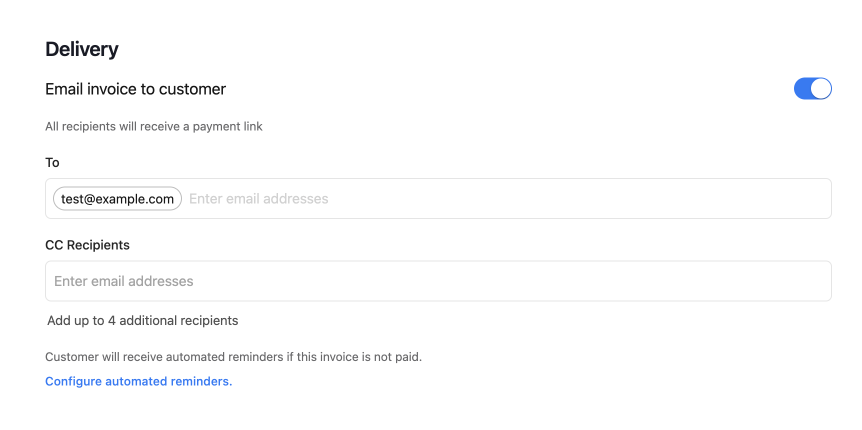
When creating an invoice, you'll have the option to deliver the invoice by email to your intended recipient. You can specify additional recipients and cc yourself or another billing contact at your company to handle any questions that may come up from your customers
How to send a reminder to pay an invoice
To manually send an invoice reminder, click the invoice you'd like to remind the recipient about on the invoices page: https://app.meow.com/invoices
Then click "Send Invoice" at the bottom of the page
You'll have the option to include your own email as a CC address so you can keep track of any responses to your reminder
How to configure automated reminder emails
You may want to automatically remind customers of unpaid invoices before or after the invoice is due. You can configure your preferred reminder schedule by clicking "Settings"

Then "Notifications"
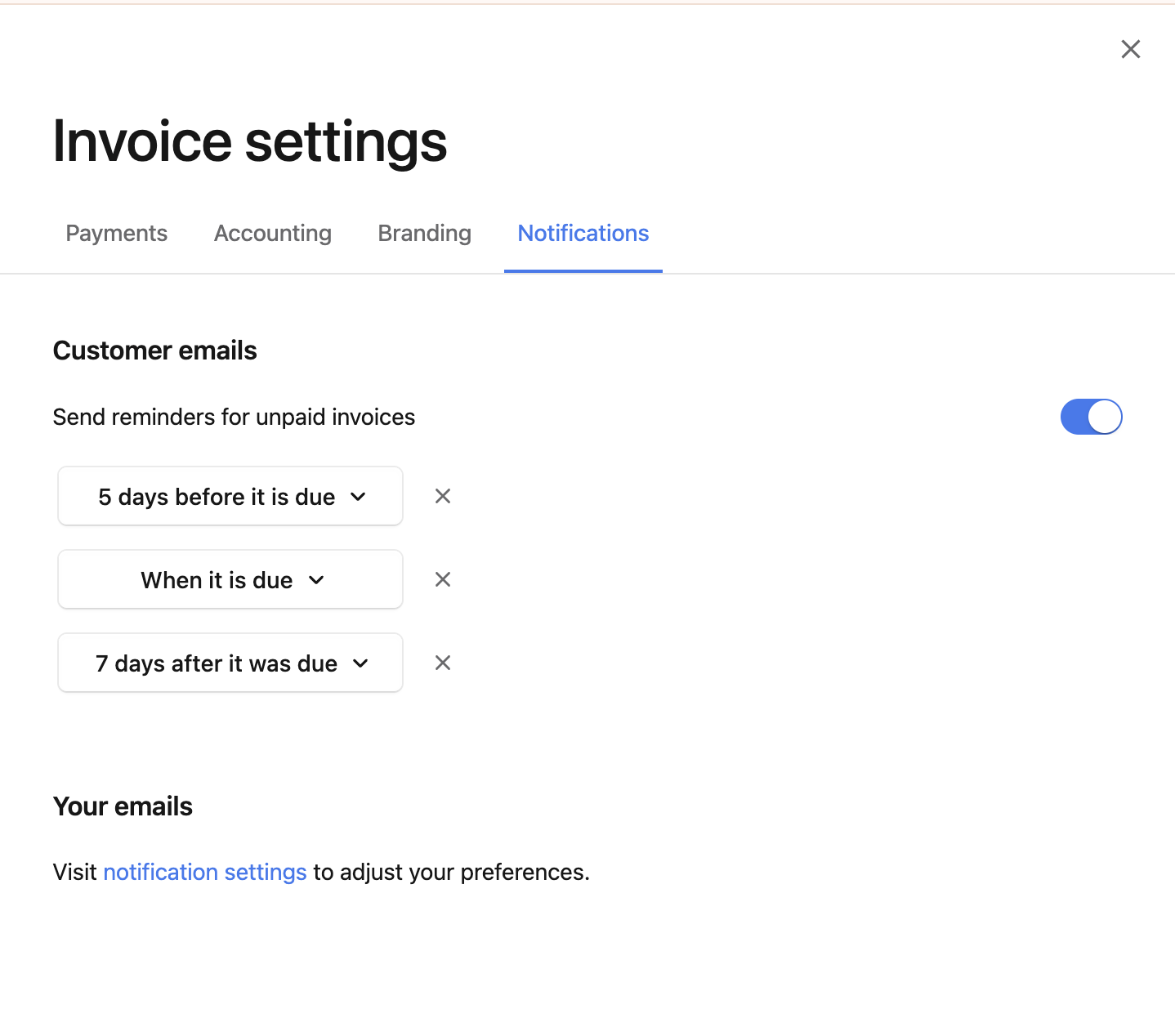
Then select "Send reminders for unpaid invoices" and set your preferred reminder schedule