How to setup Spend Controls for your Business Checking account
Last updated: August 5, 2026
Meow Technologies is a financial technology company, not a bank or FDIC-insured depository institution. Banking services are provided by Grasshopper Bank, N.A.
Spend controls allow you to establish rules that regulate how much can be spent from your account in a day, who can initiate transactions, and who needs to approve them. These controls ensure that spending remains within pre-defined limits and helps ensure larger transactions are reviewed and processed securely.
You can set up spend Controls by navigating to Settings > Security Policies
How Spend Controls Work
Spend Controls work by setting spend bands which are defined as a range of aggregate daily spend (ex. $0-$5,000 or $5,000+). You can set multiple spend bands, with each band having its own rules for initiating and approving transactions. Here’s how it works:
Note: Spend controls configured here do not apply to bill payments. To set up approval requirements for bills, navigate to the Bill Pay tab and select Settings, where you can configure bill‑specific approval settings.
Spend Band: A range of aggregate daily spending (e.g., $0–$10,000 or $10,001+) for which certain spend policies apply.
Policy: A set of rules that dictate who can initiate a transaction and whether approval is required.
For example, if the total spend for the day is within one band, a certain set of rules will apply. If the spending crosses into the next band, a different policy may be triggered.
Roles: Initiators and Approvers
There are two main roles in the spend control system:
Initiators: Users who have the ability to start a transaction.
Approvers: Users who can approve the transactions initiated by others. An individual can be both an Initiator and an Approver, or they can hold just one role.
Approval Quorum
If a transaction requires approval, a quorum can be set. A quorum is the number of distinct Approvers who need to approve the transaction before it can proceed. For example, a transaction might need approval from just one person, or it might require approval from two or more people, depending on the spend band and policy.
Note that when configuring a spend band that requires approval, you must select at least one approver or the policy cannot be created.
Example Spend Control Setup
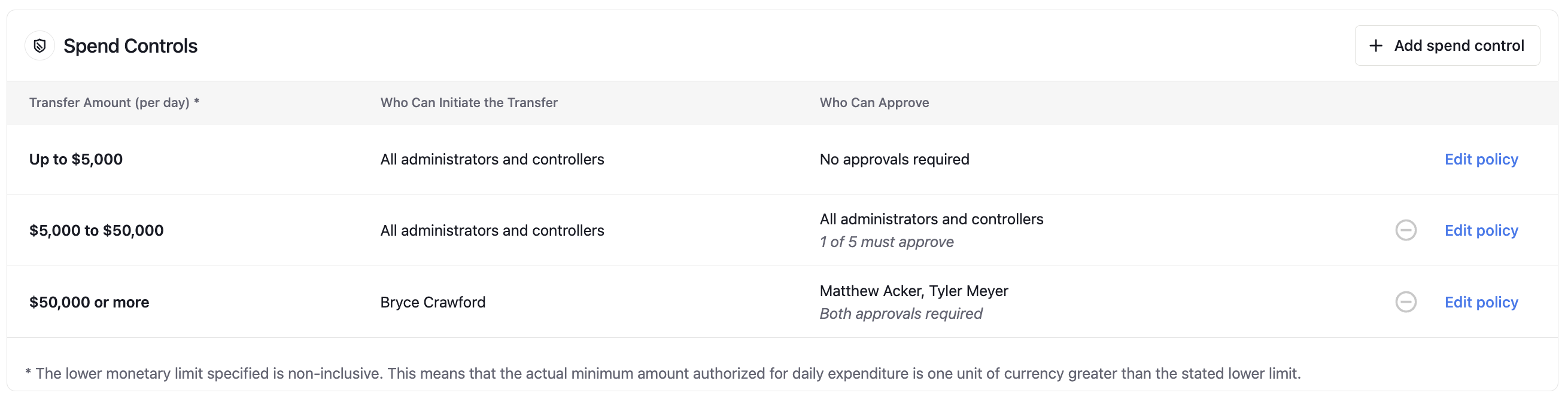
Here’s an example of how spend controls might be set up for an account with three admins: Bryce, Tyler, and Matt.
Spend Band 1: Aggregate Spend $0–$5,000
Who can initiate?: Any admin
Approvals required?: None. Any admin can make these smaller transactions without additional approval.
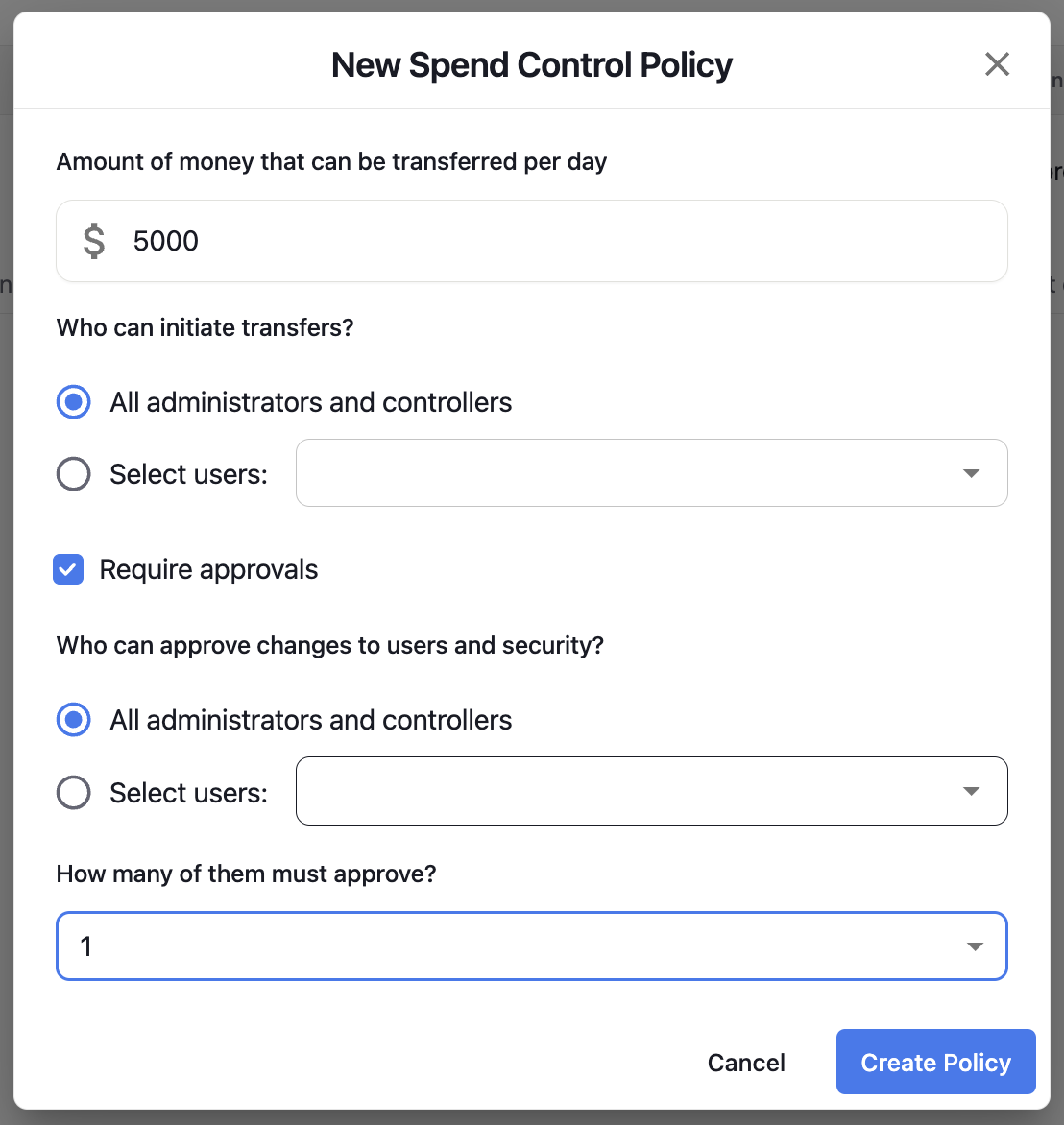
Spend Band 2: Aggregate Spend $5,001–$50,000
Who can initiate?: Any admin
Who can approve?: Any admin. However, one approval is required before the transaction is completed.
Example
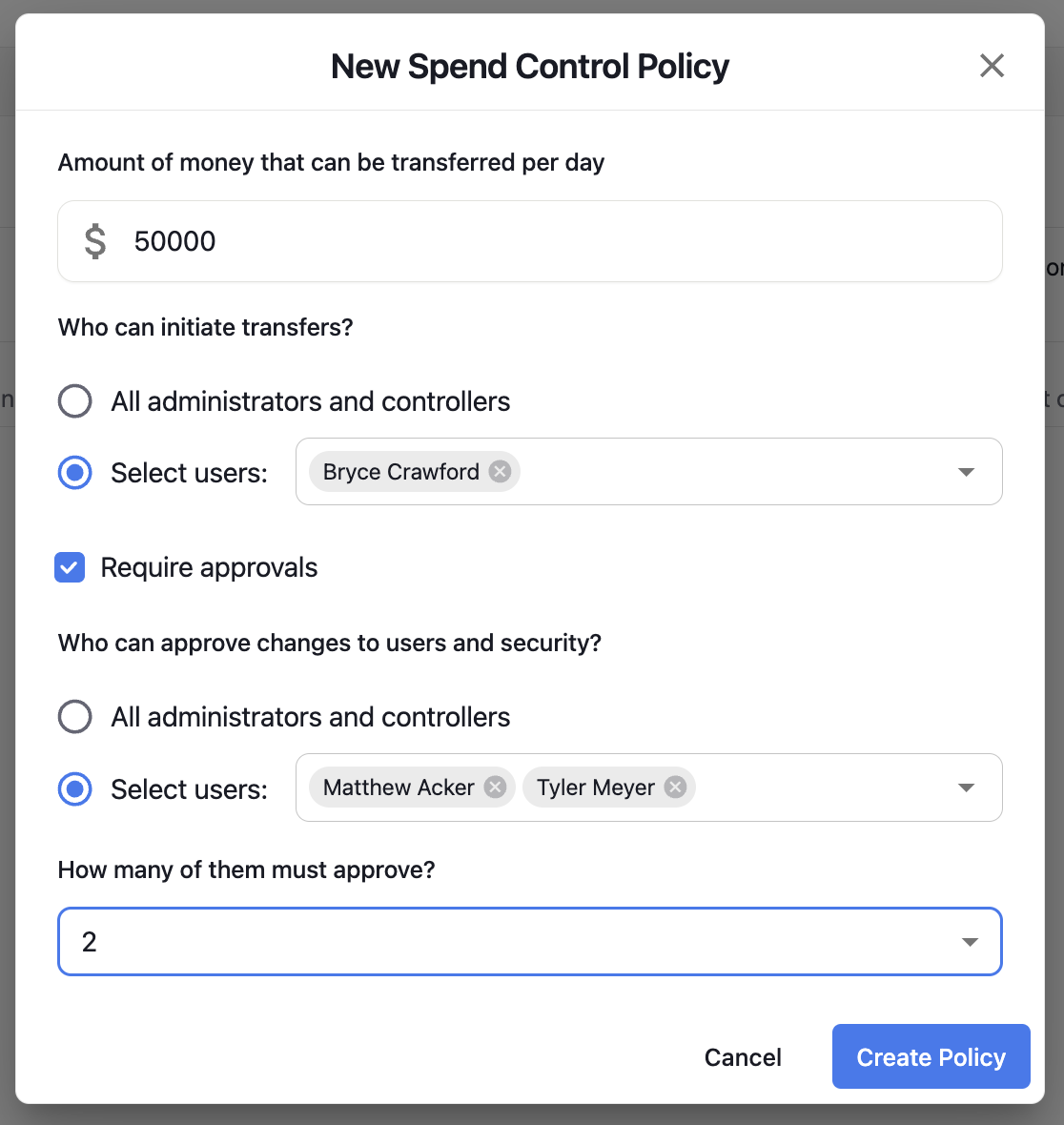
Spend Band 3: Aggregate Spend $50,001+
Who can initiate?: Only (Specific User 1)
Who can approve?: Both User 2 and User 3 must approve. The transaction won’t proceed without both of their approvals.
Example
The final result will look like this