Getting an EIN
Last updated: November 14, 2024
An Employer Identification Number (EIN) or TIN is a nine-digit number assigned by the IRS to business entities in the U.S. An EIN is required to open an account with Meow.
When you apply for an account through Meow, you'll need to provide one of the following documents to verify your EIN:
Form CP575
Form 147c
A completed SS-4 (the returned version from the IRS)
Where to get an EIN
For information on how to apply for an EIN with the IRS, please click here.
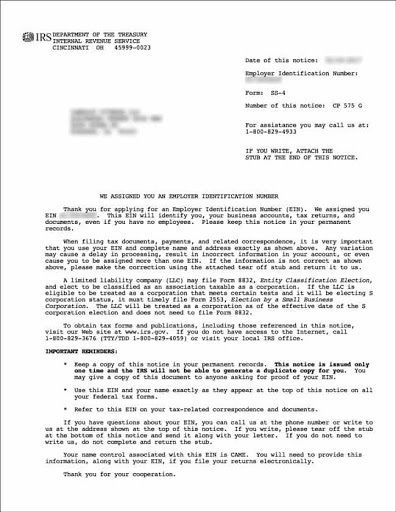
Once approved you'll be sent a Form CP575 which includes your new EIN.
Here's an example Form CP575
Finding your lost or misplaced EIN
If you've lost or misplaced your EIN, you have three options, outlined below, to help you find it.
Find your EIN in your EIN verification letter from the IRS. If you've lost or misplaced this letter, please see Getting an EIN verification letter.
Find a filed tax return, if applicable. A previously filed tax return for your business entity should be notated with your EIN in the top-right corner of the first page.
Call the IRS Business & Specialty Tax Line at 1-800-829-4933 (toll-free) between 7am and 7pm local time, Monday through Friday. If you are not in the U.S., you can call 1-267-941-1099 (not toll-free) between 6am and 11pm EST, Monday through Friday.
Please note: the EIN will be provided to you over the phone. You will first be asked security questions to prove your identity and authorization. Examples of authorized persons are owners of the business or corporate officers. Your accountant or bookkeeper is an authorized person if they were granted the Power of Attorney (POA) to represent your company before the IRS. For more information on the POA, please click here.
Information you’ll need to have on hand for the IRS include the name and address of your business, the type of business income tax form you file, and your name and position in the company.
For more information on lost or misplaced EINs, visit the IRS website here.